
Connect Traaaction to Claude in under 2 minutes. Works with Claude Desktop, Claude.ai (web), and Claude Code (CLI).
Prerequisites
- Traaaction plan: Starter or above
- API key (for Desktop & Code only): grab your
trac_live_*key from Dashboard → Developer → API Keys
Your MCP endpoint
https://www.traaaction.com/api/mcp
Copy this — you'll paste it in the steps below.
Option A — Claude.ai (web)
The simplest way. No API key needed — everything goes through OAuth.
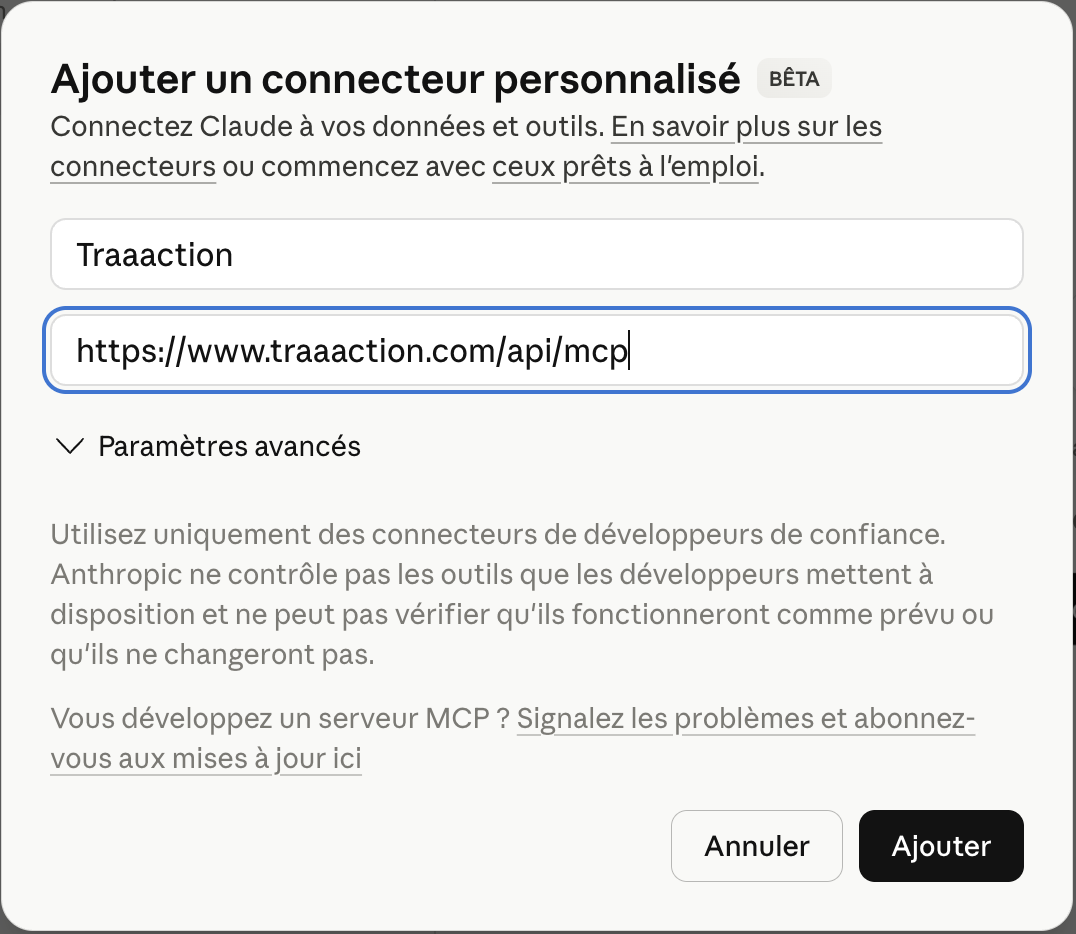
Step 1 — Go to claude.ai, open Settings → Integrations, then click Add custom connector.
In the dialog, enter:
- Name:
Traaaction - URL:
https://www.traaaction.com/api/mcp
Then click Ajouter (Add).
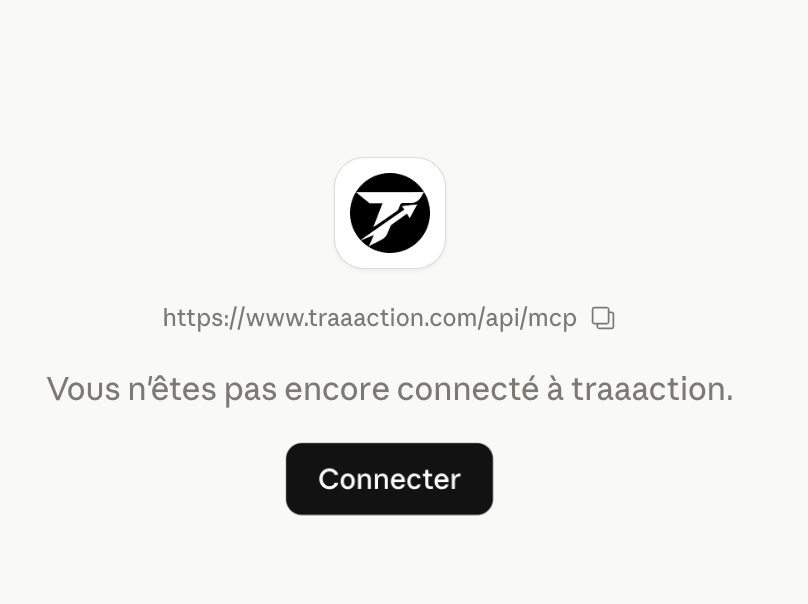
Step 2 — You'll see the Traaaction connector page. Click Connecter (Connect) to start the authorization flow.
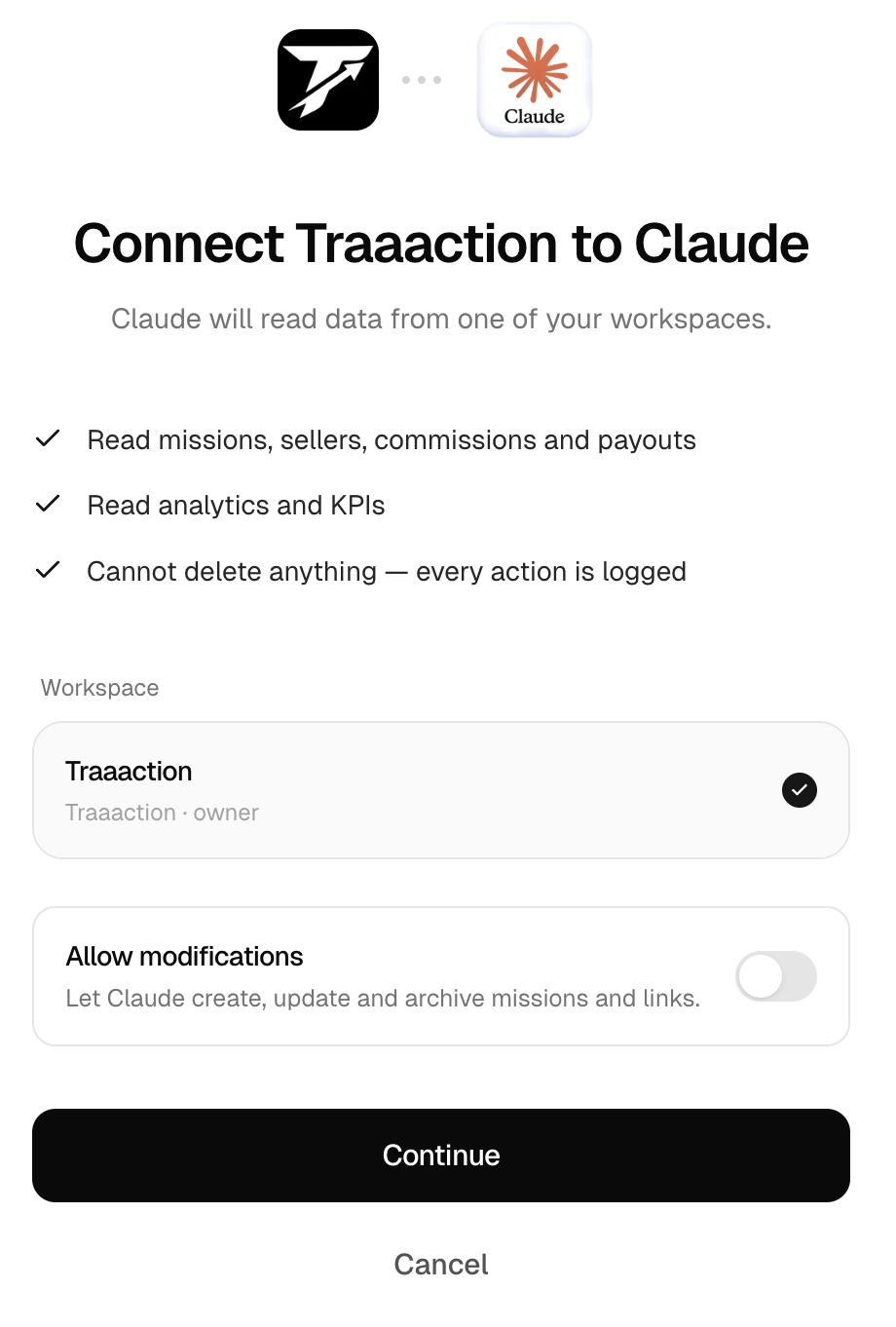
Step 3 — The Traaaction authorization page opens. Here you can:
- Select your workspace (if you have multiple)
- Toggle "Allow modifications" to let Claude create, update, and archive missions and links (write tools). Leave it off for read-only access.
Click Continue to finalize the connection.
Done! Start a new conversation and try "What's my workspace summary?"
Option B — Claude Desktop
- Open Claude Desktop
- Go to Settings → Developer → MCP Servers → Edit Config
- Paste the following JSON (replace
YOUR_API_KEYwith your actual key):
{
  "mcpServers": {
    "traaaction": {
      "url": "https://www.traaaction.com/api/mcp",
      "transport": "http",
      "headers": {
        "Authorization": "Bearer YOUR_API_KEY"
      }
    }
  }
}
- Save and restart Claude Desktop
- You should see a hammer icon (tools) in the input area — that means MCP is connected
- Try it: type "What's my workspace summary?"
Using an API key grants full access (read + write). Claude can create missions and links if you ask it to.
Option C — Claude Code (CLI)
Run this in your terminal (replace YOUR_API_KEY):
claude mcp add traaaction \
  --transport http \
  --url https://www.traaaction.com/api/mcp \
  --header "Authorization: Bearer YOUR_API_KEY"
Verify the connection:
claude mcp list
You should see traaaction with 18 tools available.
Test it
Once connected, try these prompts:
- "Who are my top 5 partners this month?"
- "Show me pending commissions over €100"
- "Create a new mission called 'Summer Launch' with 10% recurring"
- "List all links that got clicks today"
What's available
Traaaction exposes 12 read tools and 6 write tools. See the full list in Traaaction speaks MCP.