
Connect Traaaction to Perplexity and combine your affiliate data with real-time web search — ask about your partners, commissions, and market trends in the same conversation.
Prerequisites
- Perplexity plan: Pro
- Traaaction plan: Starter or above
Your MCP endpoint
https://www.traaaction.com/api/mcp
Steps
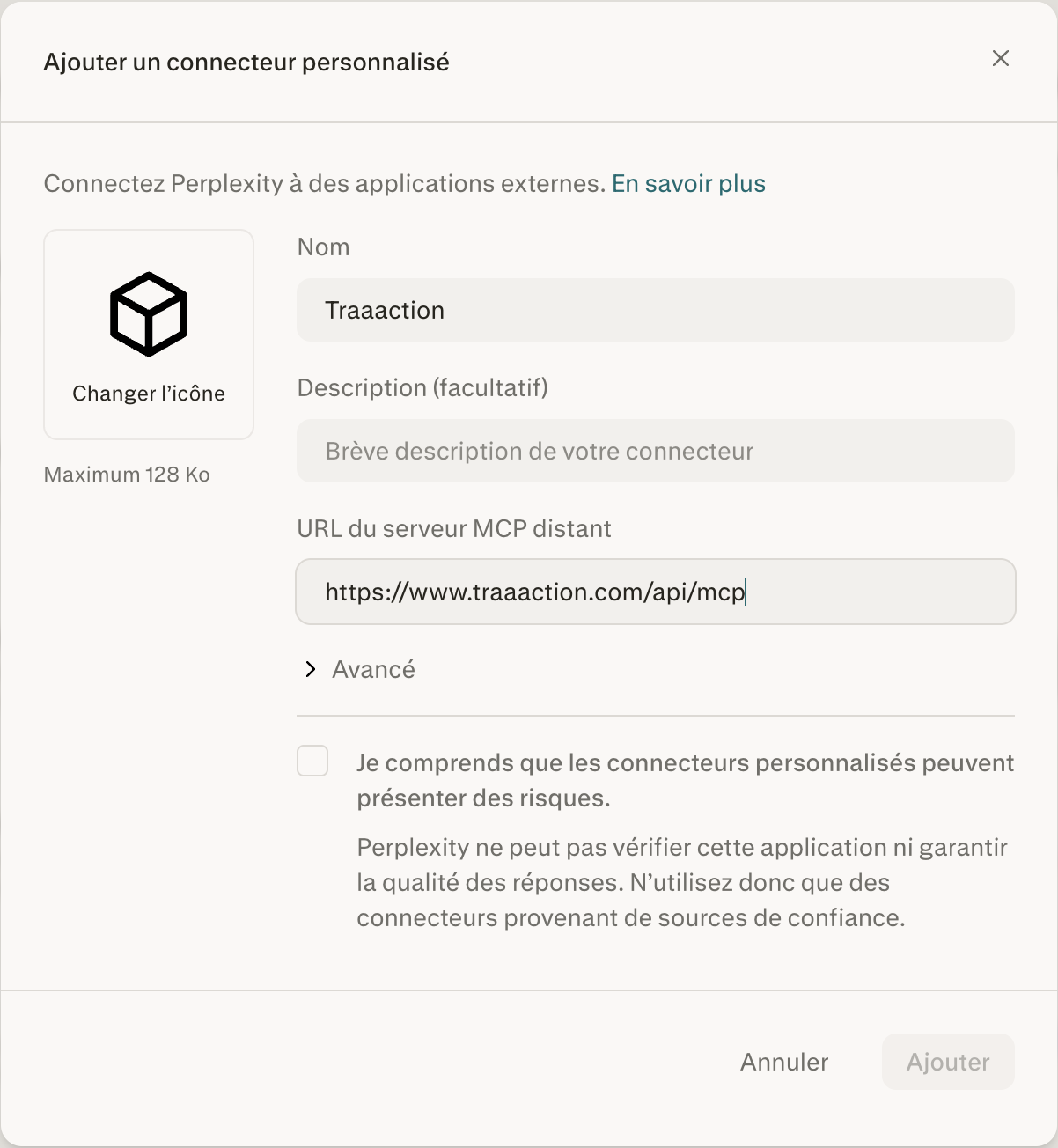
Step 1 — Open Perplexity, click on Personnaliser (Customize) in the sidebar, then select Connecteur personnalisé (Custom connector).
In the dialog, fill in:
- Nom:
Traaaction - URL du serveur MCP distant:
https://www.traaaction.com/api/mcp - Check the acknowledgment box, then click Ajouter (Add).
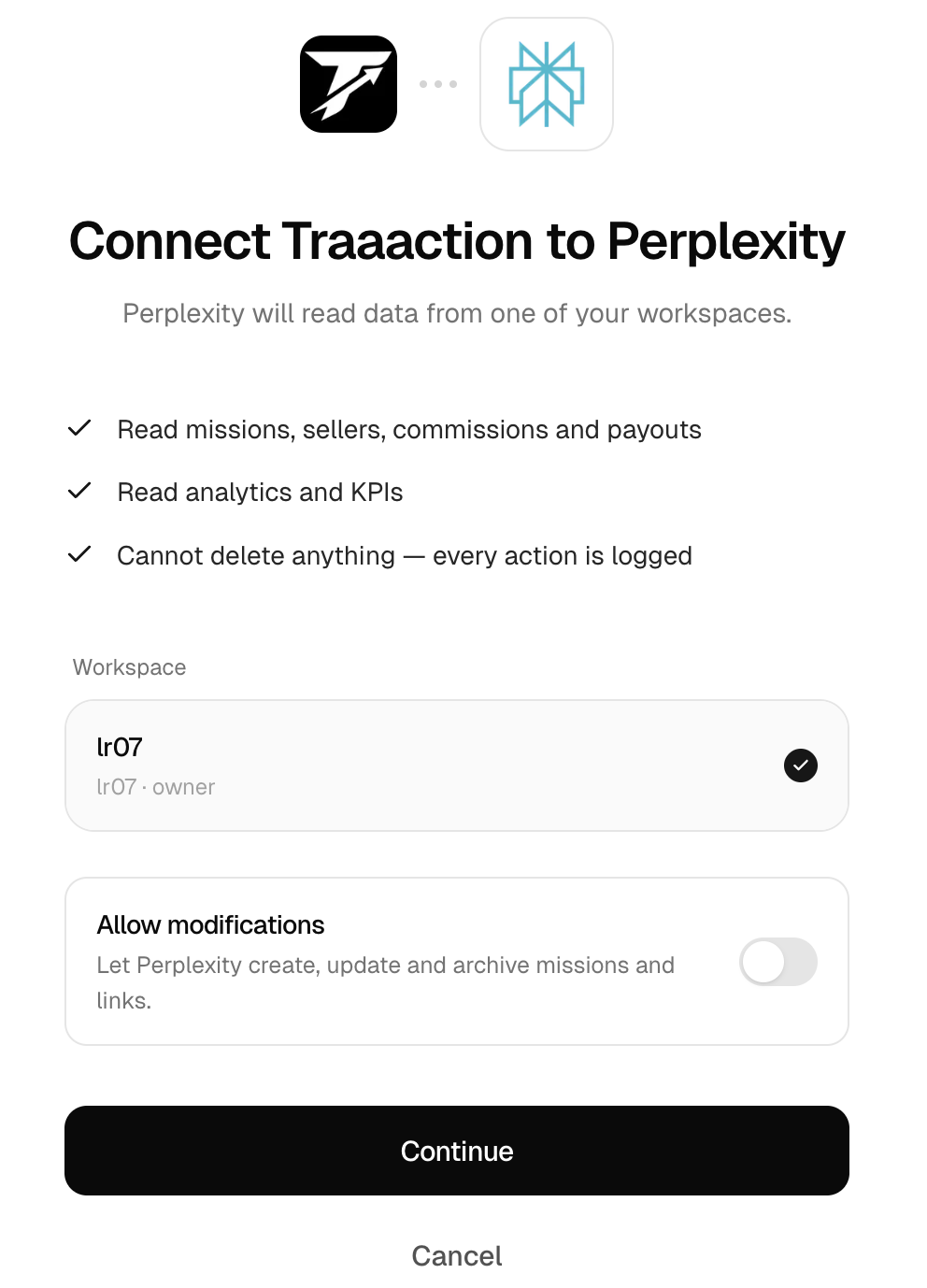
Step 2 — The Traaaction authorization page opens automatically. Here you can:
- Select your workspace (if you have multiple)
- Toggle "Allow modifications" to let Perplexity create, update, and archive missions and links. Leave it off for read-only access.
Click Continue to finalize the connection.
Done! Start a new thread and try "What's my workspace summary?"
Test it
Perplexity combines web search with your Traaaction data. Try:
- "Who are my top 5 partners this month? Find their websites and suggest collaboration ideas."
- "Show me all pending commissions and tell me if the hold periods are standard for SaaS."
- "Which partners haven't generated a referral in 90 days?"
- "What's my affiliate program revenue this month, and what's the industry average?"
With write access enabled:
- "Create a new mission for our Enterprise plan with 20% recurring commission."
What's available
Traaaction exposes 12 read tools and 6 write tools. See the full list in Traaaction speaks MCP.